
A Lighthouse comparison of configured and custom Inmovilla websites
The configured websites have different names, logos and colours, but their pages use closely related structures and components. Amperiza uses a custom website built by Saberium while Inmovilla remains the agency's working system and system of record.
A configured website can be a practical way for a smaller agency to establish a connected public presence. As the agency grows, a custom website can give its brand, service and property presentation more room without asking the team to change how it works in Inmovilla.
How Inmovilla remains the working system
An agency can continue managing property information and commercial work in Inmovilla. The same authorised portfolio can be shared with property portals such as Idealista and Fotocasa, subject to the connections available in the agency's account. A custom website can become another public destination for that portfolio without creating a second catalogue for the team to maintain.
Unlike a property portal, the agency website belongs to the agency's own brand. It can explain how the team serves buyers and owners, present properties in its own way and provide enquiry routes shaped around the business. Inmovilla stays central to the workflow while the public website has a different role.
A comparative study
We selected configured websites whose footers identify CRM Inmovilla as the website provider. The agencies remain anonymous, but cropped sections can be compared to show how their shared components are presented.
Property search

Property listing controls



Contact form
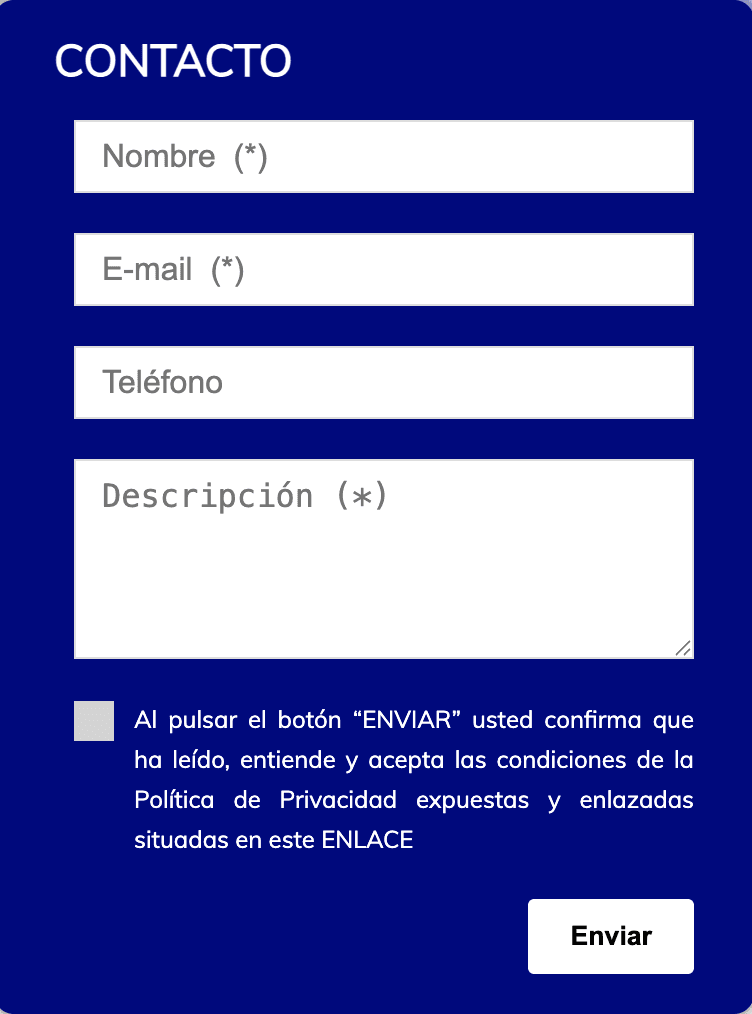
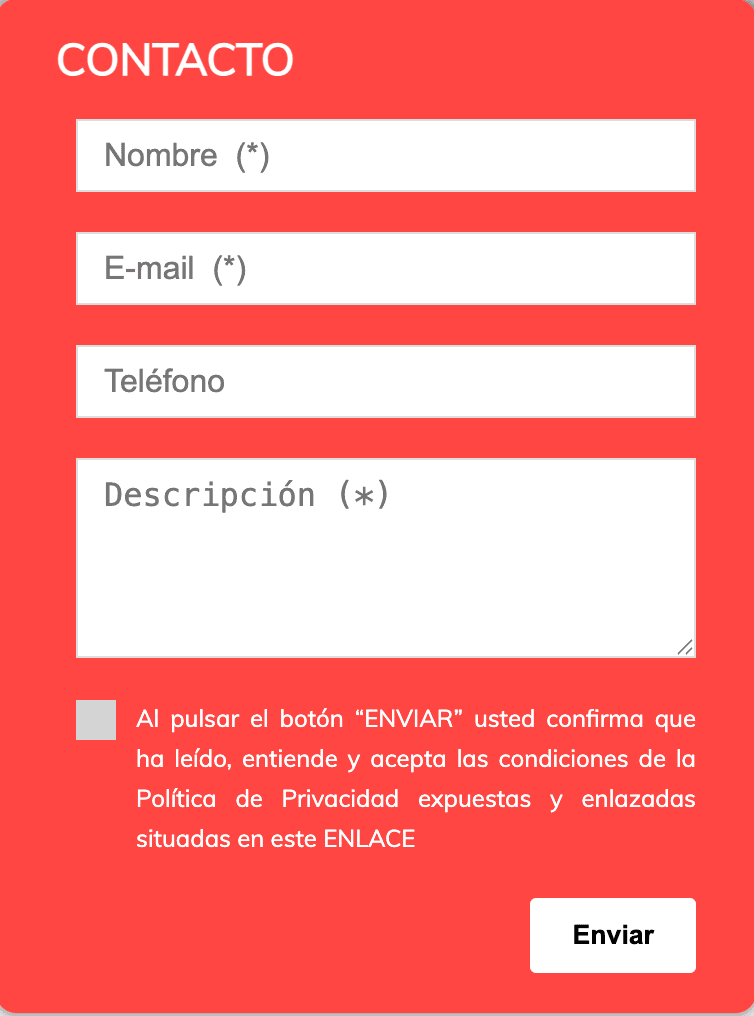
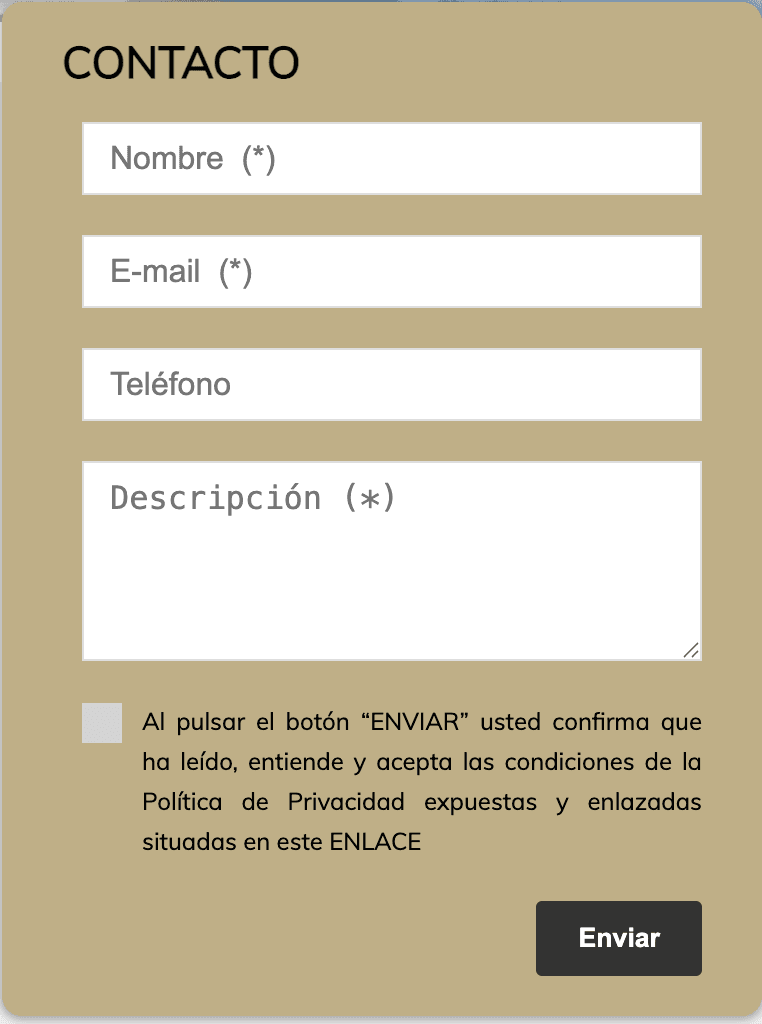
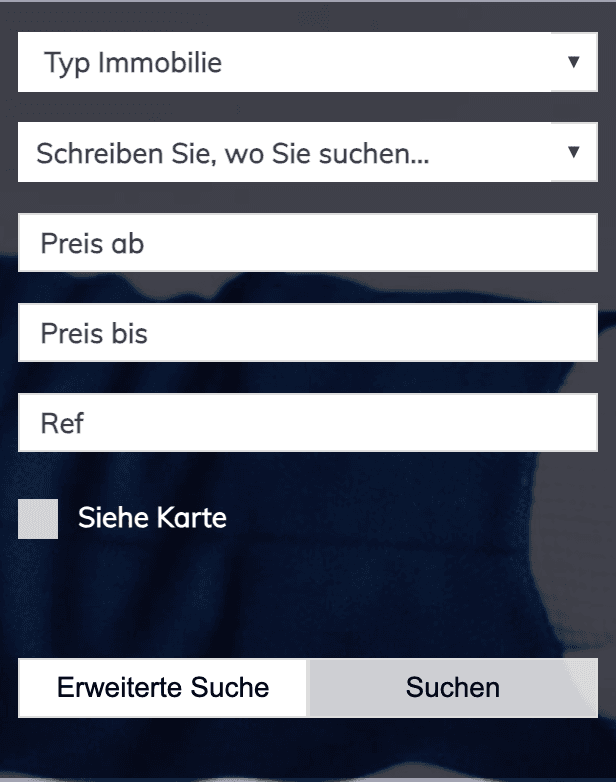
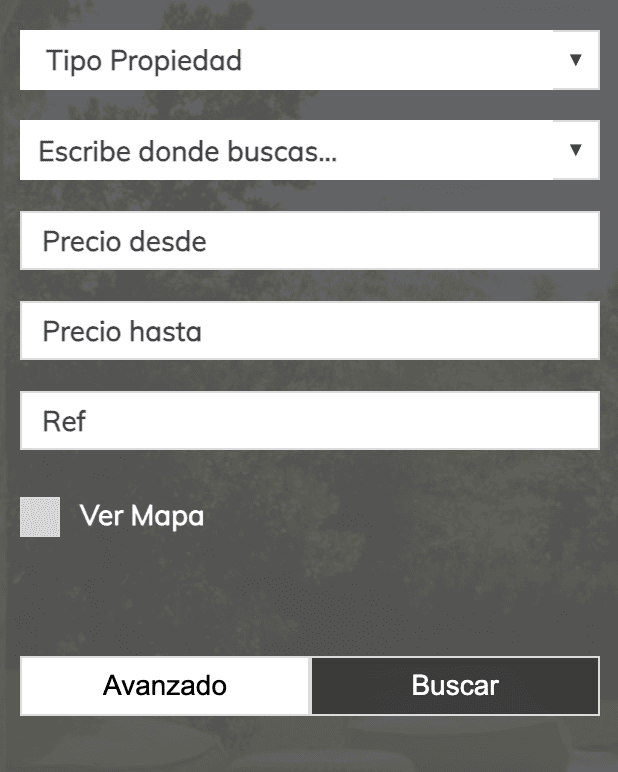
The search fields, listing controls and contact forms follow the same component structure across the examples. Property type, area, price range, reference and map selection appear in the same sequence. Listing pages repeat the alerts, publish a property, viewed, excluded and favourites controls, while the contact forms use the same field order and consent layout.
One example uses the compact horizontal search bar on desktop while the others show the expanded stacked version. These are different presentations of the same underlying search structure. The main visual changes come from colour, background imagery and the agency branding around those components.
They support a narrower observation. The configured websites share a recognisably related starting structure, and much of their immediately visible distinction comes from the agency branding and colours applied to it.
A Lighthouse performance comparison
Loading speed, visual stability and the time a page spends blocking interaction all affect how quickly a visitor can use a website. Mobile and desktop results can differ substantially, so both were measured for each configured website and for Amperiza as a custom reference.
The figures come from PageSpeed Insights Lighthouse lab snapshots captured on 21 August 2026. They are measurements from a simulated environment at that point in time, not permanent guarantees or field data from real visitors.
| Metric | Configured website ADesktop | Configured website AMobile | Configured website BDesktop | Configured website BMobile | Configured website CDesktop | Configured website CMobile | AmperizaDesktop | AmperizaMobile |
|---|---|---|---|---|---|---|---|---|
| Performance score | 42 | 24 | 47 | 65 | 51 | 78 | 96 | 71 |
| Lighthouse SEO score | 85 | 85 | 100 | 100 | 85 | 85 | 100 | 100 |
| First Contentful Paint (FCP) | 0.3 s | 1.0 s | 0.3 s | 0.9 s | 0.3 s | 0.9 s | 0.7 s | 2.9 s |
| Largest Contentful Paint (LCP) | 2.8 s | 7.7 s | 2.3 s | 2.1 s | 1.8 s | 2.2 s | 1.3 s | 6.0 s |
| Total Blocking Time (TBT) | 340 ms | 950 ms | 280 ms | 280 ms | 320 ms | 230 ms | 10 ms | 10 ms |
| Cumulative Layout Shift (CLS) | 1.269 | 1.256 | 1.036 | 1.421 | 1.017 | 0.337 | 0 | 0 |
| Speed Index (SI) | 1.7 s | 6.4 s | 2.6 s | 4.5 s | 1.8 s | 2.7 s | 1.3 s | 4.6 s |
Configured website A
Desktop
- Performance score
- Lighthouse SEO score
- First Contentful Paint (FCP)
- Largest Contentful Paint (LCP)
- Total Blocking Time (TBT)
- Cumulative Layout Shift (CLS)
- Speed Index (SI)
Configured website A
Mobile
- Performance score
- Lighthouse SEO score
- First Contentful Paint (FCP)
- Largest Contentful Paint (LCP)
- Total Blocking Time (TBT)
- Cumulative Layout Shift (CLS)
- Speed Index (SI)
Configured website B
Desktop
- Performance score
- Lighthouse SEO score
- First Contentful Paint (FCP)
- Largest Contentful Paint (LCP)
- Total Blocking Time (TBT)
- Cumulative Layout Shift (CLS)
- Speed Index (SI)
Configured website B
Mobile
- Performance score
- Lighthouse SEO score
- First Contentful Paint (FCP)
- Largest Contentful Paint (LCP)
- Total Blocking Time (TBT)
- Cumulative Layout Shift (CLS)
- Speed Index (SI)
Configured website C
Desktop
- Performance score
- Lighthouse SEO score
- First Contentful Paint (FCP)
- Largest Contentful Paint (LCP)
- Total Blocking Time (TBT)
- Cumulative Layout Shift (CLS)
- Speed Index (SI)
Configured website C
Mobile
- Performance score
- Lighthouse SEO score
- First Contentful Paint (FCP)
- Largest Contentful Paint (LCP)
- Total Blocking Time (TBT)
- Cumulative Layout Shift (CLS)
- Speed Index (SI)
Amperiza
Desktop
- Performance score
- Lighthouse SEO score
- First Contentful Paint (FCP)
- Largest Contentful Paint (LCP)
- Total Blocking Time (TBT)
- Cumulative Layout Shift (CLS)
- Speed Index (SI)
Amperiza
Mobile
- Performance score
- Lighthouse SEO score
- First Contentful Paint (FCP)
- Largest Contentful Paint (LCP)
- Total Blocking Time (TBT)
- Cumulative Layout Shift (CLS)
- Speed Index (SI)
The clearest overall result is Amperiza's visual stability and low blocking time. It recorded no layout shift and 10 milliseconds of Total Blocking Time on both devices. Its desktop run was also the strongest overall, while its mobile content appeared later than on some configured websites.
The results do not isolate one cause. Property count, background images, other page resources and hosting can all affect a run. The configured websites may also have different catalogues and media to load. This comparison describes the measured pages, not a fixed performance property of Inmovilla.
What the automated SEO checks show
Amperiza and configured website B scored 100 in Lighthouse's automated SEO category on desktop and mobile. Configured websites A and C scored 85. Their failed checks concerned crawlable links and alternative text for images.
This shows that a custom website connected to Inmovilla can keep the CRM in its existing role while matching the strongest configured result in this set and passing checks that other configured examples did not. It does not show that every custom website has stronger technical SEO, and an automated Lighthouse score is not a complete technical SEO audit or a ranking prediction.
How to read the figures
PageSpeed Insights lab data is produced in a simulated environment. A result can vary between runs as network conditions, processing and page resources change.
These snapshots are not field data from real visitors. They do not guarantee future performance and do not predict search rankings or conversions.
Choosing a configured or custom website
- A configured website remains suitable when direct setup and a familiar property presentation matter more than a distinct public experience. It keeps the website close to an established structure and can be enough for the agency's current stage.
- A custom website becomes relevant when the agency needs its positioning, market and enquiry routes to shape the experience. Search can be planned around the real catalogue, and the website can give different weight to buyers, owners and valuation requests while Inmovilla remains the source of record.